Vaillant – Transforming Corporate Communication Through Social Intranet Design

UX research and design to transform Vaillant’s traditional top-down intranet into a modern social collaboration platform that empowers employees, accelerates onboarding, and fosters knowledge sharing.

Role and team


Design Lead, Senoir UX Designer (me), Junior UX Designer, Product Owner, Client

Methods


User Interviews

Personas

Preference Tests

Affinity Mapping

User Journeys

Wireflows

Prototyping

User Tests

Timeline


4 Weeks, 2021

Tool Kit


Pen & Papaer

Google Docs

Figma


Project Overview

Vaillant, a leading heating technology company, recognized that their existing intranet had become a bottleneck rather than an enabler. Built primarily for top-down communication, it offered minimal collaboration tools and limited self-service capabilities – inadequate for a modern, distributed workforce that expects consumer-grade digital experiences.

As Senior UX Designer, I helped in this transformation project to reimagine the intranet as a social collaboration platform that would bridge generational gaps, accelerate new employee onboarding, and fundamentally shift organizational culture from passive information consumption to active knowledge sharing.

The Core Challenge: Transform a traditional intranet in one leap – skipping the incremental evolution most companies follow. We needed to simultaneously introduce social features AND shift employee mindsets toward self-service and collaboration, without alienating long-term employees accustomed to the old system.


The Challenge: A Cultural & Technical Double-Leap

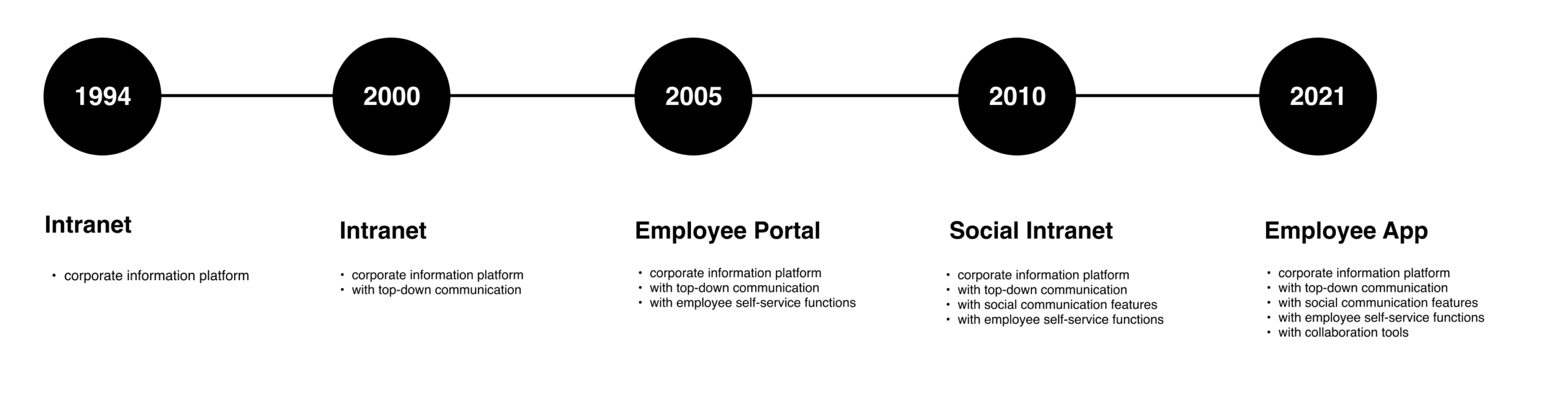
Most organizations evolve their intranets gradually: static content → basic search → limited collaboration → social features. Vaillant wanted to compress this journey, moving from a traditional top-down system directly to a state-of-the-art social intranet.
The Post-Social-Media Paradox

While consumer social media platforms face declining trust and engagement, internal social intranets are gaining traction. Employees crave connection and knowledge sharing in safe, professional environments – but only if the tools feel intuitive and culturally endorsed.

The risk: introducing „social“ features that employees perceive as forced corporate surveillance rather than genuine collaboration enablers.

Change Management Through Design

This wasn’t just a UX project – it was organizational change management disguised as software design. We needed to:

  • Validate existing popular features worth preserving
  • Identify workflow blockers in current system
  • Design new social features that feel natural, not forced
  • Test acceptance across employee generations and roles

Strategic Goals

Uncover Workflow Friction: Discover how the current intranet either enables or blocks productivity across different user groups and roles.

Understand Current Value: Identify popular intranet content and features that resonate with employees and should be preserved or enhanced in the new system.

Validate Generational Acceptance: Test whether both new hires (digital natives) and long-term employees (change-resistant) embrace the social intranet concept.

Design Social Collaboration: Create a concept that genuinely promotes collaboration, networking, and information exchange – not just adds „social“ as superficial features.

Build & Test Prototype:  Develop interactive prototype demonstrating core social features and validate through testing with real employees.

Business Goals

📉 Lower Support Costs: Decrease internal helpdesk and HR support requests by empowering employee self-service capabilities.

💡 Innovation Capacity: Increase innovative output through enhanced collaboration tools and cross-functional knowledge exchange.

💰 Operational Efficiency: Reduce communication overhead through streamlined information flow and easier discovery of employee expertise and skills.

Design Process

We structured a rapid 4-week research and design sprint that balanced depth of understanding with speed of delivery.

1. Discover

Collaborated with stakeholders to map all relevant user groups and define focus groups based on intranet relevance to their work. Conducted in-depth interviews with representatives from each group, collecting user goals and pain points. Created empathy maps to deeply understand each focus group’s perspective and needs

2. Define

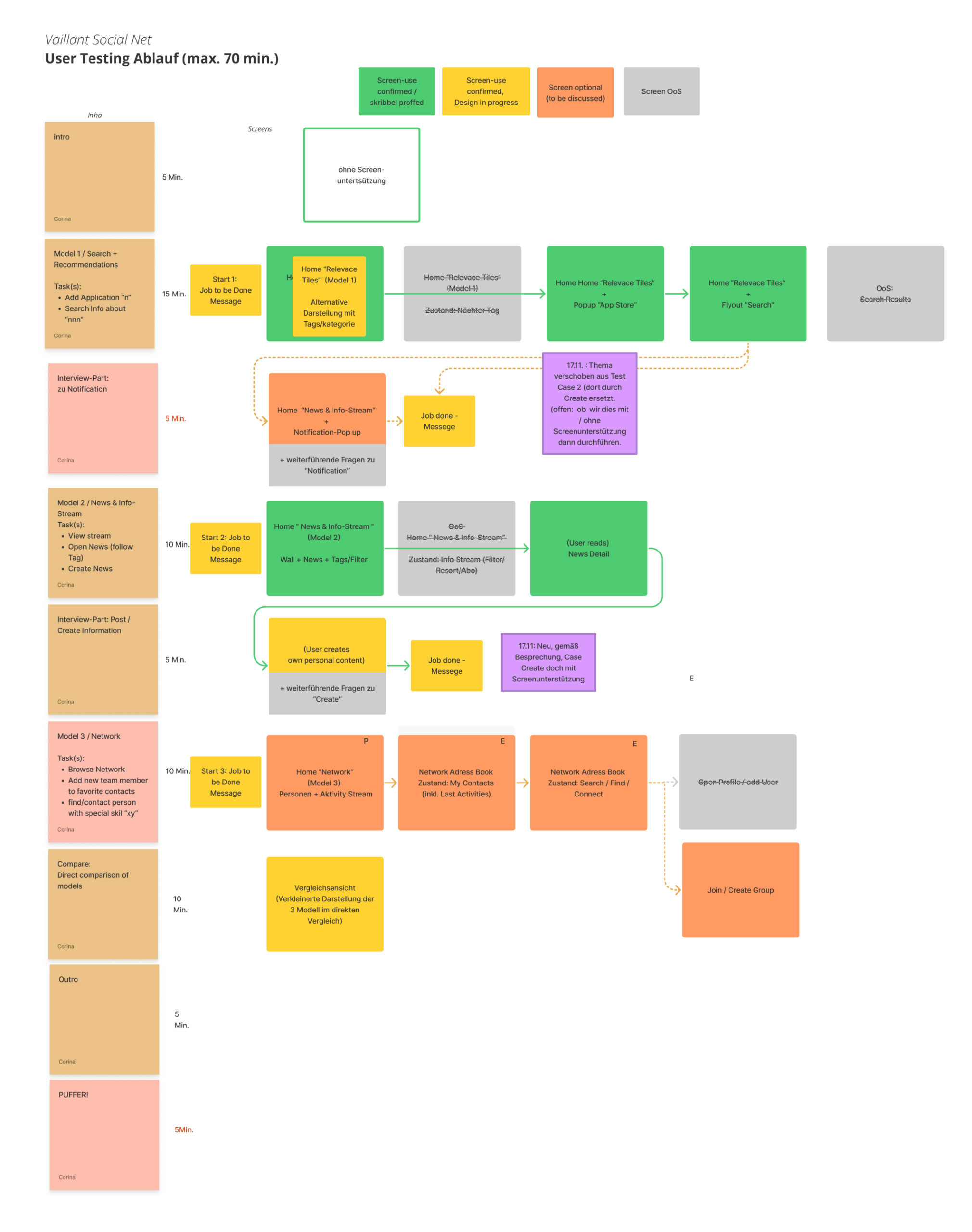
Ideated improvements along new employee journey and defined main use cases. Designed user flows structurally in mockups with brand design (to avoid confusion for long-term employees during testing). Built Figma prototype and conducted usability tests with focus user groups.

3. Design & Test

Synthesized research into problem statements and design hypotheses. Developed employee personas representing spectrum from new hires to long-term employees. Formulated clear problem statements to sharpen project scope and align team understanding.


User Research: Understanding the Current State

Status Quo Analysis

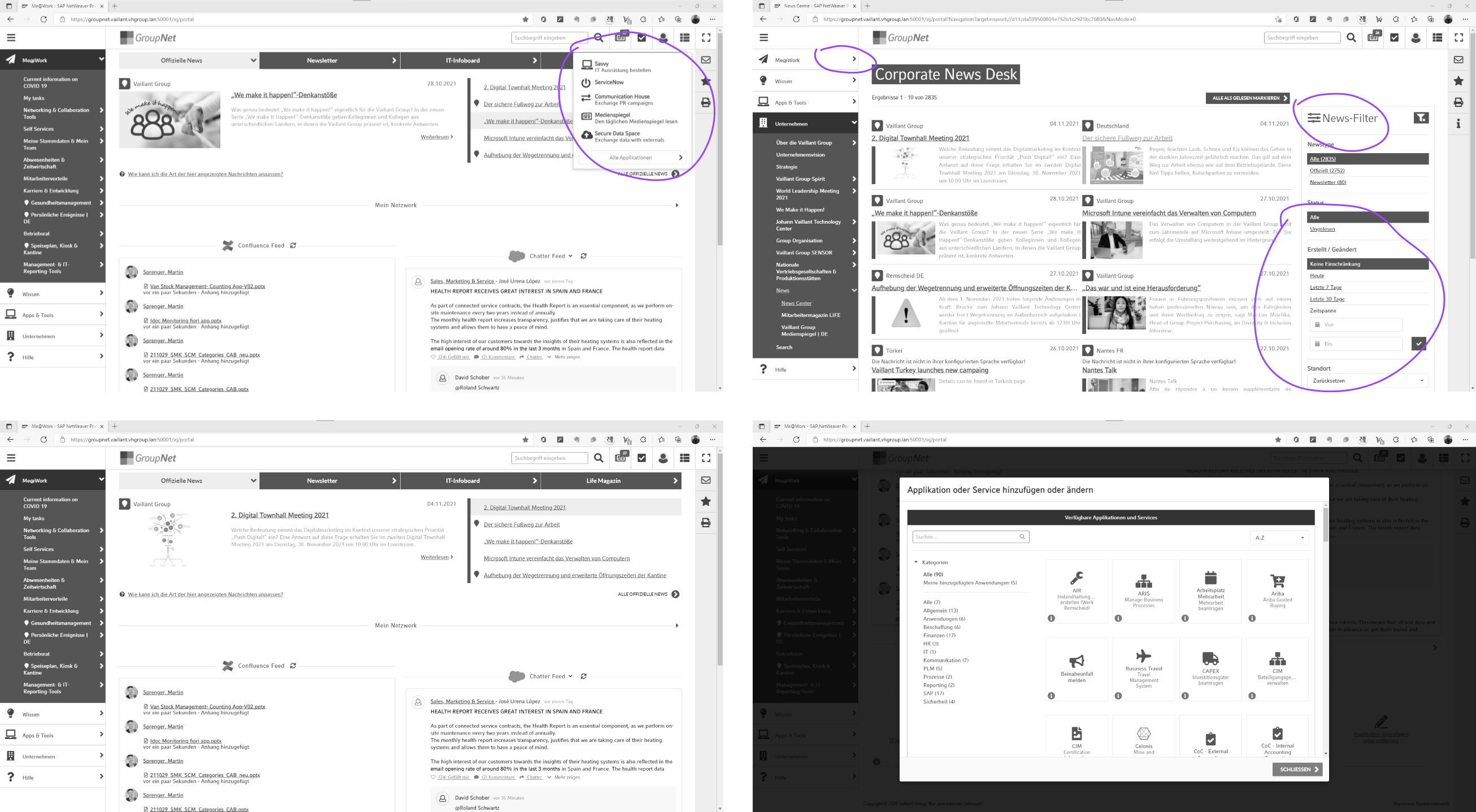
We began by auditing the existing intranet’s structure, features, tools, and content and identified user roles within the system. This baseline understanding revealed what employees valued and where frustration concentrated.
User Groups & Segmentation

👔 Office Workers

Need: Daily operational information, collaboration tools, project resources. Behavior: Power users, frustrated by inefficiencies, demand advanced features.

📢 Corporate Communicators

Need: Publishing tools, engagement analytics, content governance. Behavior: Concerned about message control, need easy content management.

🆕 New Employees

Need: Onboarding guidance, quick ramp-up, discovering colleagues and resources. Behavior: Digital-native, expects modern UX, overwhelmed by information.

⏰ Long-term Employees

Need: Familiarity, minimal disruption, clear value of changes. Behavior: Change-resistant, attached to existing workflows, skeptical of „social“ features.


Employee Personas: The Generational Divide

Rather than creating „average user“ personas, I developed two polarizing archetypes representing the extremes of our user spectrum – ensuring our design solution worked for both ends and everyone in between.


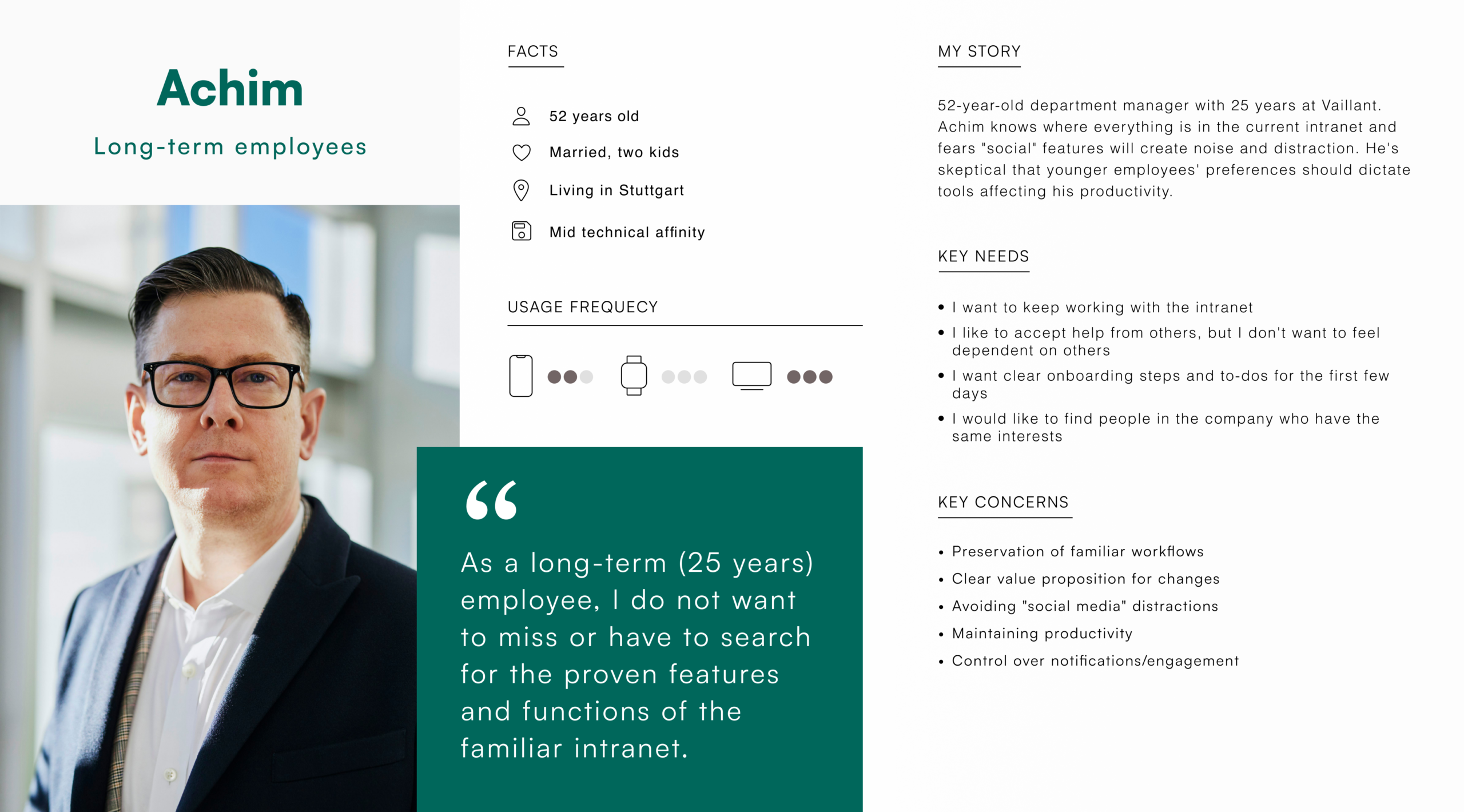
Achim

Long-term Employee – Change-Resistant

52-year-old department manager with 25 years at Vaillant. Hans knows where everything is in the current intranet and fears „social“ features will create noise and distraction. He’s skeptical that younger employees‘ preferences should dictate tools affecting his productivity.

Nina

New Employee – Digital Native

27-year-old engineer joining Vaillant fresh from university. Lisa expects consumer-grade digital experiences and is overwhelmed by traditional corporate systems. She needs to quickly find people, understand organizational structure, and access onboarding materials without asking colleagues basic questions.
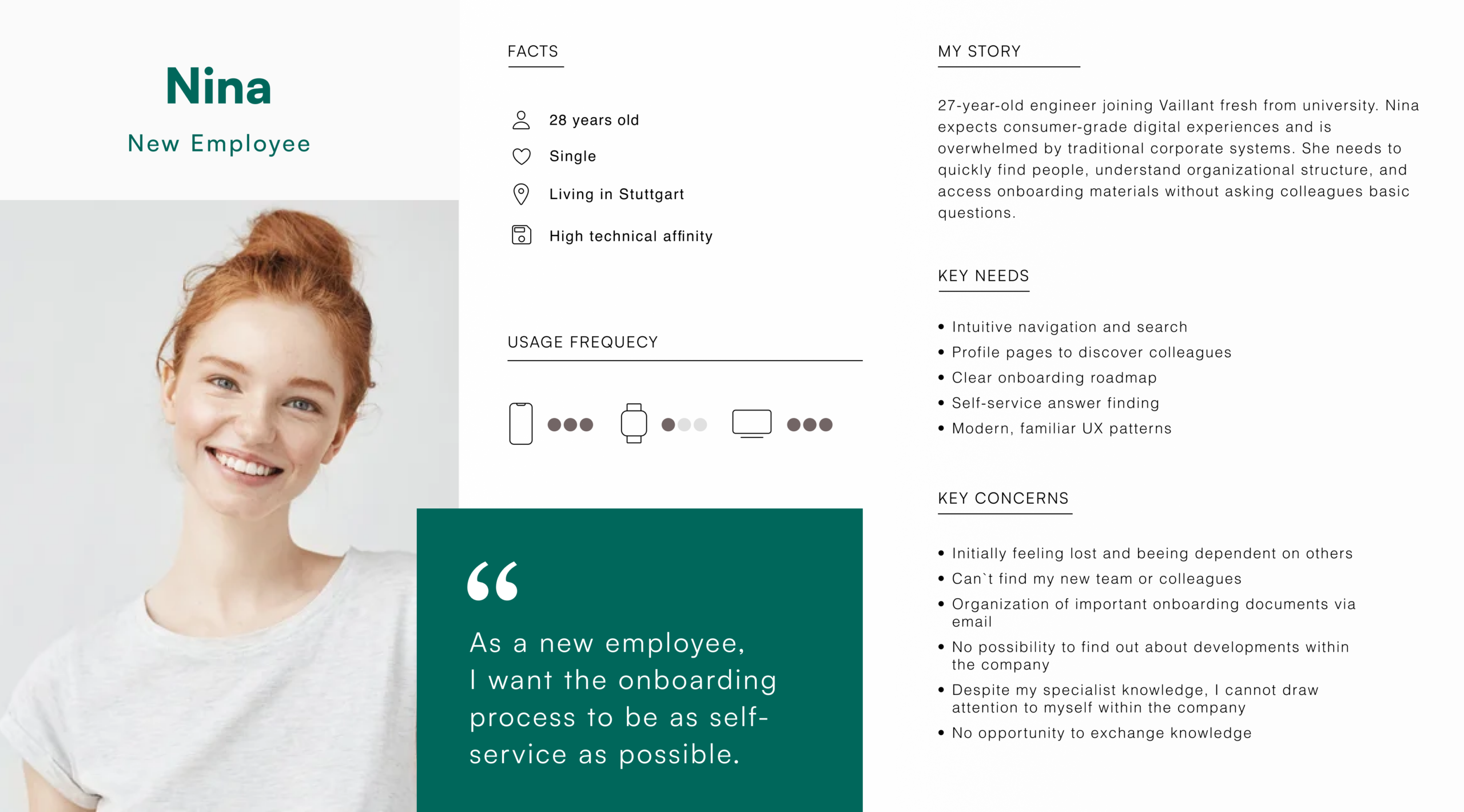
Design Implication: The intranet needed progressive disclosure – appearing simple and non-threatening to Hans while offering advanced social/collaboration features that Lisa expects. Onboarding would be crucial not just for new employees, but for existing employees learning the new system.


Employee Journey Mapping: Ideating the Ideal Experience

In collaborative workshops, we mapped the „ideal world“ employee experience and identified opportunities to introduce social intranet features at each stage.

Key Insight: The most critical intervention point is the first days of employment. New employees who successfully navigate onboarding via the intranet become advocates for the platform, while those who struggle resort to emailing colleagues and avoiding the system entirely.


Design Hypotheses: Guiding Principles

Based on research and stakeholder alignment, I formulated four core hypotheses that guided our design decisions:

Search as Foundation: An employee can work efficiently if they find needed information quickly. Therefore, a prominently designed and intelligent text-based search is a valuable key functionality that must be immediately accessible and highly accurate.

Network Value: An employee is as valuable to the company as they are networked. Therefore, smart people search through skills and locations creates organizational value by connecting expertise with needs.

Onboarding as Relationship Builder: The first days as a new employee are key for long-term relationships. Therefore, the onboarding process must be as simple and smart as possible, establishing the intranet as the go-to resource from day one.

Frictionless Collaboration:The ability to easily exchange ideas with others and react to people’s posts is an enabling function. Therefore, social interactions should be designed as easy and usable as possible, removing barriers to engagement.

Design: From User Flows to High-Fidelity Prototype

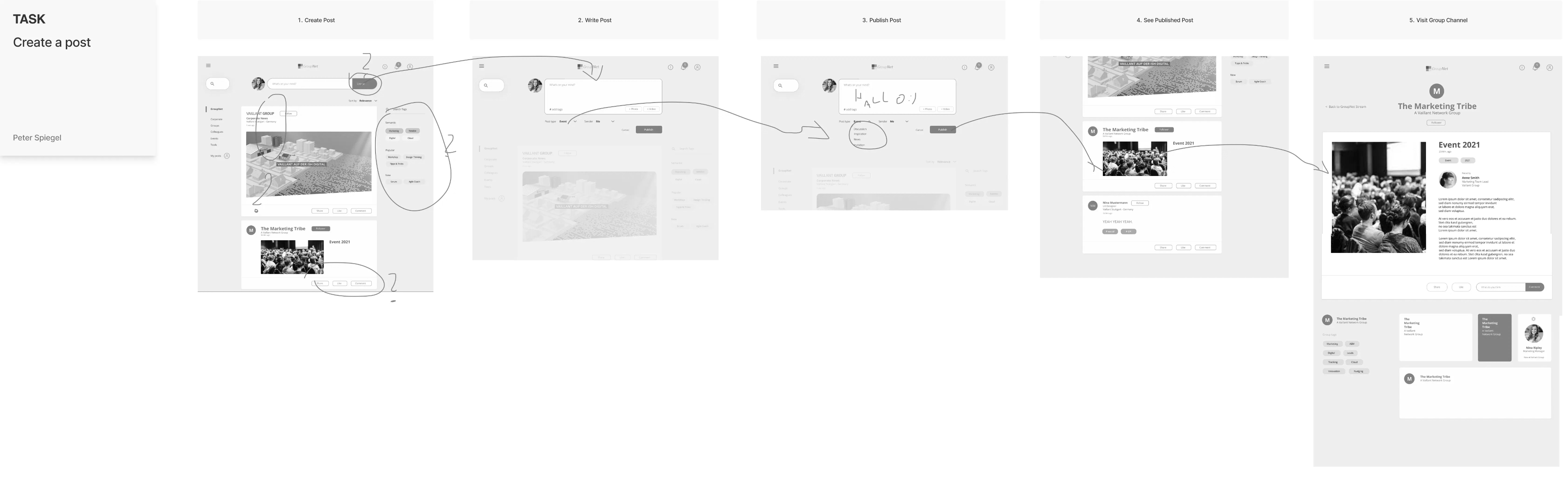
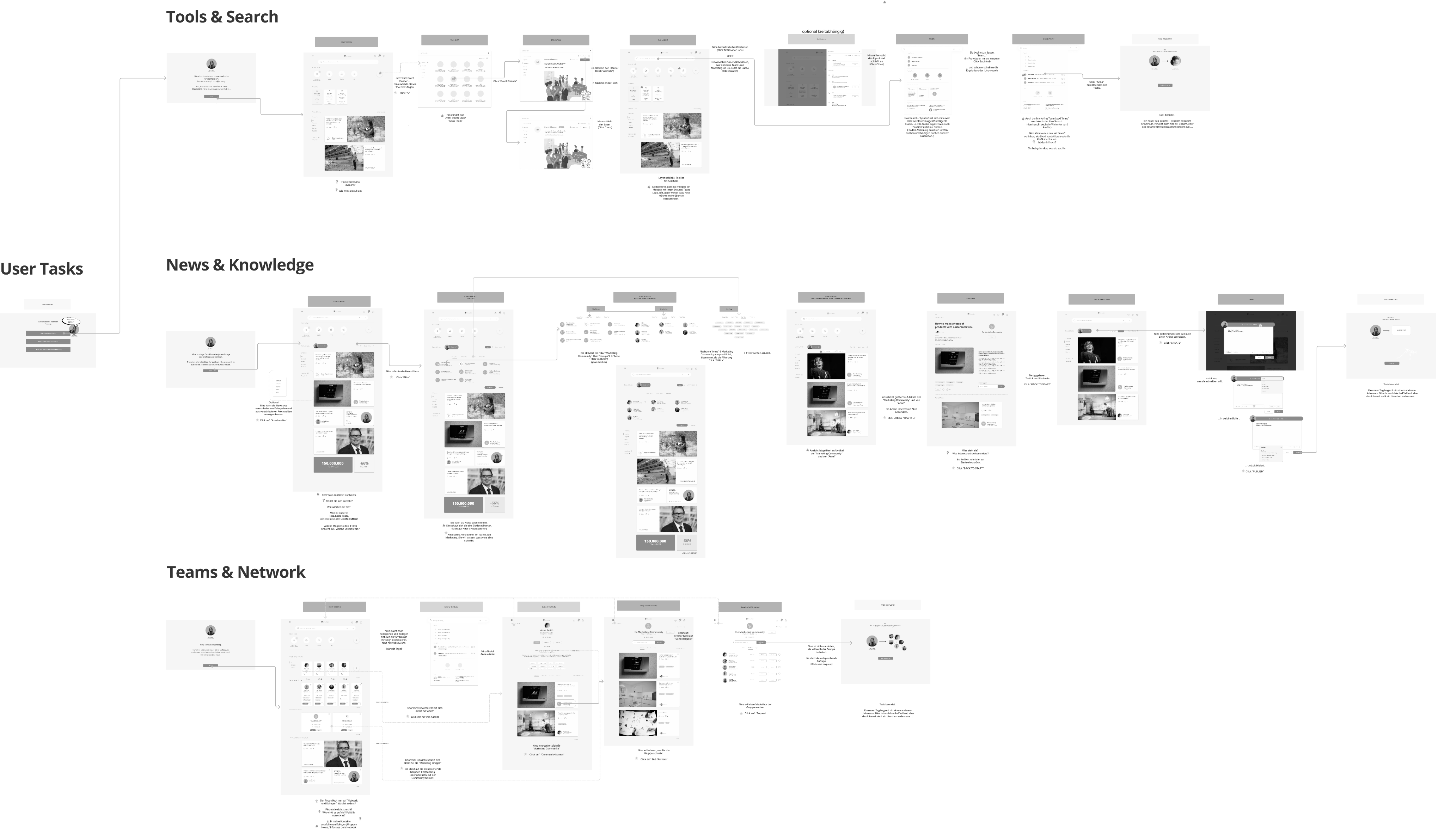
User goals were analyzed as task flows, designed as wireflows, and prototyped with optimized user flows. We iterated with the team and client before testing with Vaillant employees.
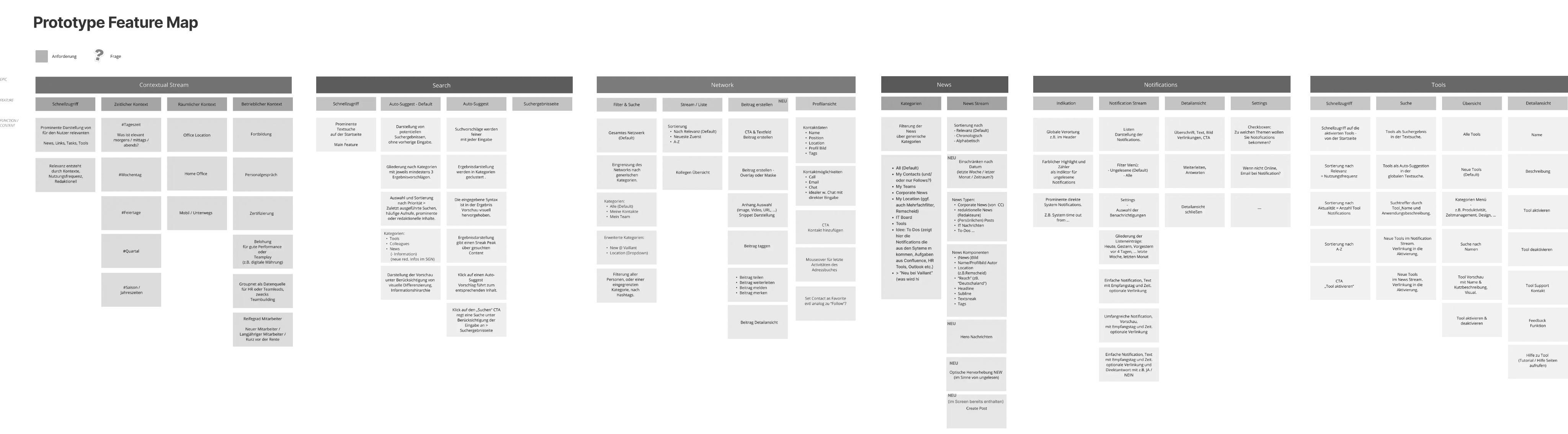
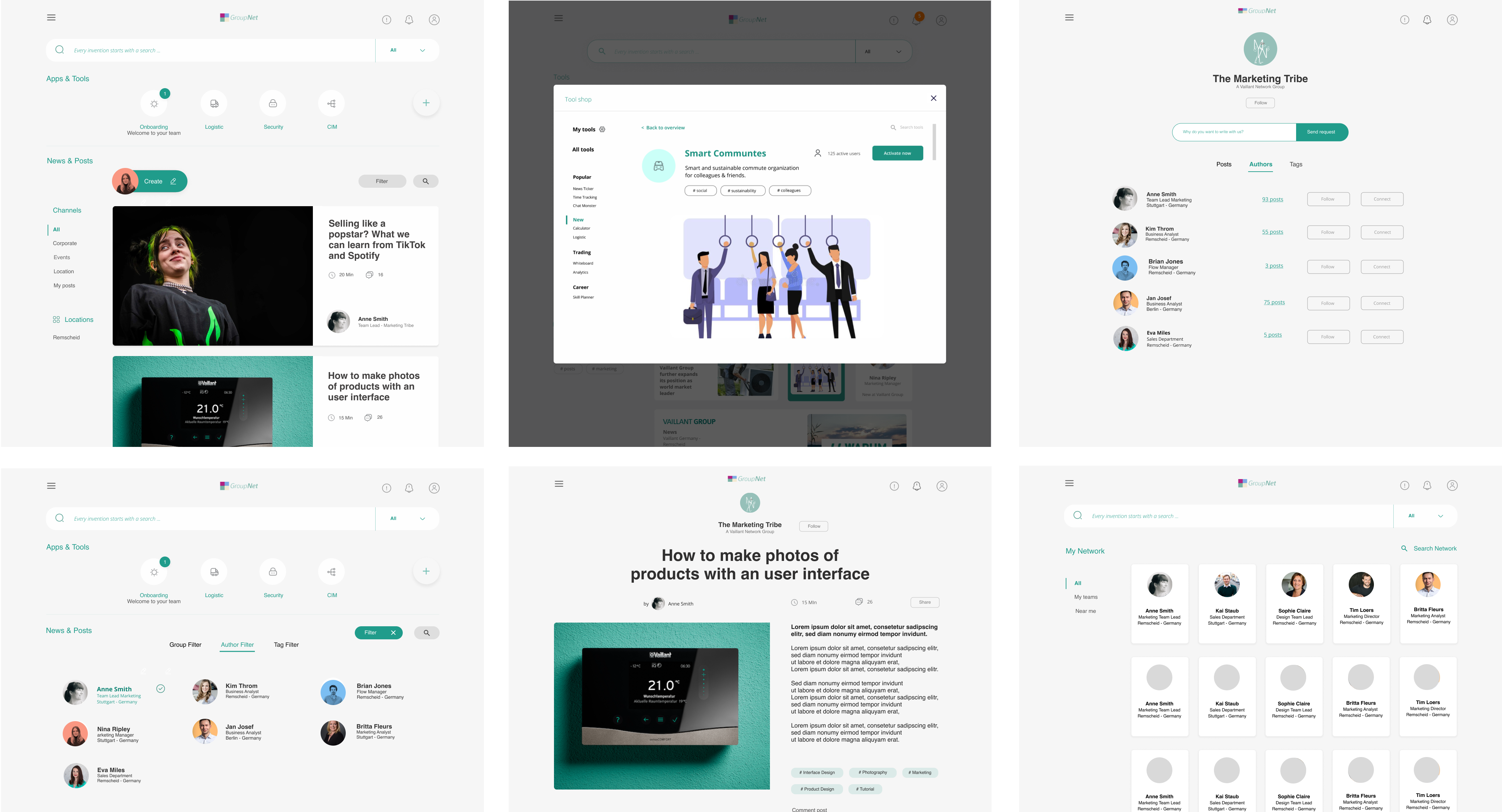
Rationale: Hans (our long-term employee persona) is already skeptical of change. Testing with gray-box wireframes would create additional cognitive load interpreting „what this will actually look like,“ potentially biasing feedback. Brand-consistent mockups let participants focus on functionality and information architecture rather than visual design speculation.

Wireflow
Prototype Keyscreens

User Testing: Validating with Real Employees

Test Structure

Divided into three topic blocks, each containing ~3 tasks. After each block, in-depth open questions gathered qualitative insights beyond task completion metrics.

  • Duration: 50 minutes per session
  • Participants: 7 employees
  • Mix: 3 Office, 3 New, 1 Communicator
  • Method: Remote in-person (video call)

Test Scenarios

  • Tools & Search: Onboarding, Finding information & Tools
  • News & Knowledge: Creating & Contributing content
  • Teams & Network: Finding People & Collaborating

Each scenario tested critical hypotheses: Is search intuitive? Do people discover colleagues naturally? Does collaboration feel forced or organic?
Key Findings

✅ Search Exceeded Expectations

All participants successfully found information and people using search. The unified search bar became the primary navigation method, validating our „search as foundation“ hypothesis.

⚠️ Social Features Need Onboarding

New employees embraced discussion forums immediately, but long-term employees needed explicit permission and examples to understand „when to post vs. email.“

✅ Profile Discovery Delighted Users

Finding colleagues by skills generated „aha moments“ – participants immediately saw value in discovering expertise they didn’t know existed in the organization.

🎯 Onboarding Hub Reduced Anxiety

New employee participants felt „relieved“ seeing a clear onboarding checklist and progress tracking, reducing the overwhelm of starting a new job.

Privacy Settings
We use cookies to enhance your experience while using our website. If you are using our Services via a browser you can restrict, block or remove cookies through your web browser settings. We also use content and scripts from third parties that may use tracking technologies. You can selectively provide your consent below to allow such third party embeds. For complete information about the cookies we use, data we collect and how we process them, please check our Privacy Policy
Youtube
Consent to display content from - Youtube
Vimeo
Consent to display content from - Vimeo
Google Maps
Consent to display content from - Google