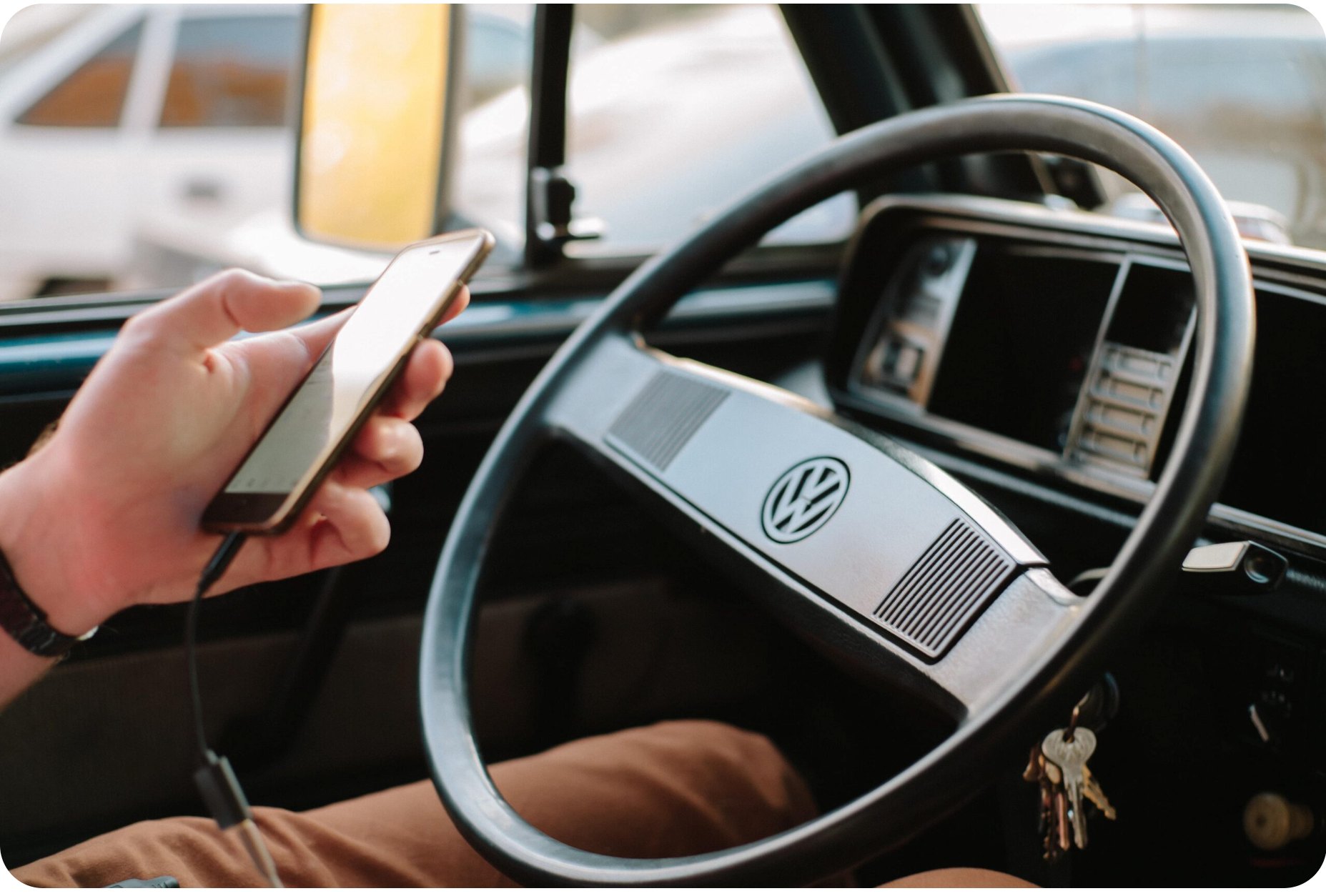
How we explored conversational UX to transform dead commute time into productive work sessions — through hands-free, eyes-on-road voice interaction design.
This design sprint brought together Volkswagen and Microsoft to explore a provocative question: how can we enable car commuters to be productive while driving, without compromising safety?
We applied Product Thinking methodology to a specific problem for a defined user group — car commuters who lose productive hours daily to driving, unlike train passengers who can work during transit.
With voice assistants like Alexa and Cortana gaining adoption, and autonomous driving on the horizon, there was a window to prototype interim solutions that could gather data, prove concepts, and prepare for a voice-first future in vehicles.
I was the UX Designer in a joint Volkswagen / Microsoft sprint team — alongside a Sprint Master and Developer from Microsoft, a Product Owner from Volkswagen, and test users from both companies.
I owned the design track end to end: the context-of-use analysis and user survey, the personas and user scenarios, the task analysis and wireflow, the conversational design and dialog scripts, and the prototype we drove around with — a clickable Axure GUI paired with a simulated voice interface.
Drivers are legally and safety-wise obligated to keep their eyes on the road and hands on the wheel. Visual and cognitive attention must remain on traffic. This creates dead time for knowledge workers who could otherwise handle emails, plan meetings, or capture ideas.
Existing in-car systems were built for entertainment and navigation — not productivity. No solution existed for hands-free, eyes-free task management and communication.
Train passengers can freely use screens, keyboards and video calls — achieving full productivity. However, they lack privacy: entire compartments can overhear phone calls and meetings, creating social discomfort.
In contrast, cars offer privacy and isolation. Voice interfaces in cars could enable productivity without the privacy downside of trains — if we could design the interaction correctly.
Design insight: Voice interfaces are more appropriate in cars than trains, because of privacy. The challenge is designing voice-first interactions that are safe, efficient and feel natural while driving — not simply porting screen-based UX to voice.
We structured the 10-day sprint around the Product Thinking methodology: understanding the problem deeply before jumping to solutions, validating vision and strategy, then rapidly building and testing.
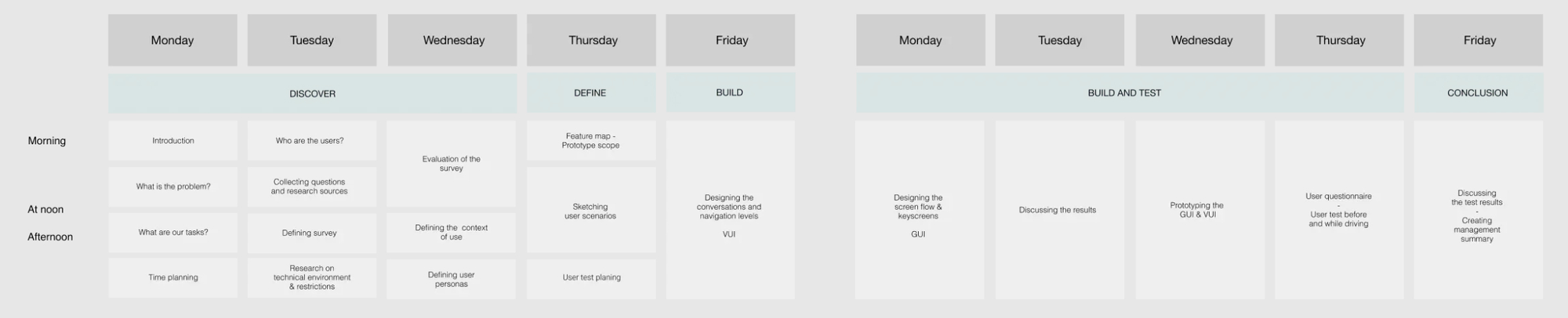
Facilitated discussions about what the problem actually is, how it feels to users, its magnitude, and whether solving it creates real value. Conducted context-of-use analysis and user surveys to understand commute patterns.
Identified segments within car commuters: daily long-distance commuters, occasional drivers, business travelers, parents on school runs — each with different productivity needs.
Positioned this as an interim solution toward autonomous driving, generating valuable voice UX data. Focused on leveraging existing technology — smartphones plus Bluetooth — rather than requiring new hardware.
Decided to build cross-platform rather than VW-exclusive to maximise data collection. Partnered with Microsoft Cognitive Services for voice recognition, and created a feature map structured in epics, features and functions.
Sketched UX for four user scenarios based on the main problem statements. Conducted task analysis of the ideated flows. Created wireframes and dialog scripts.
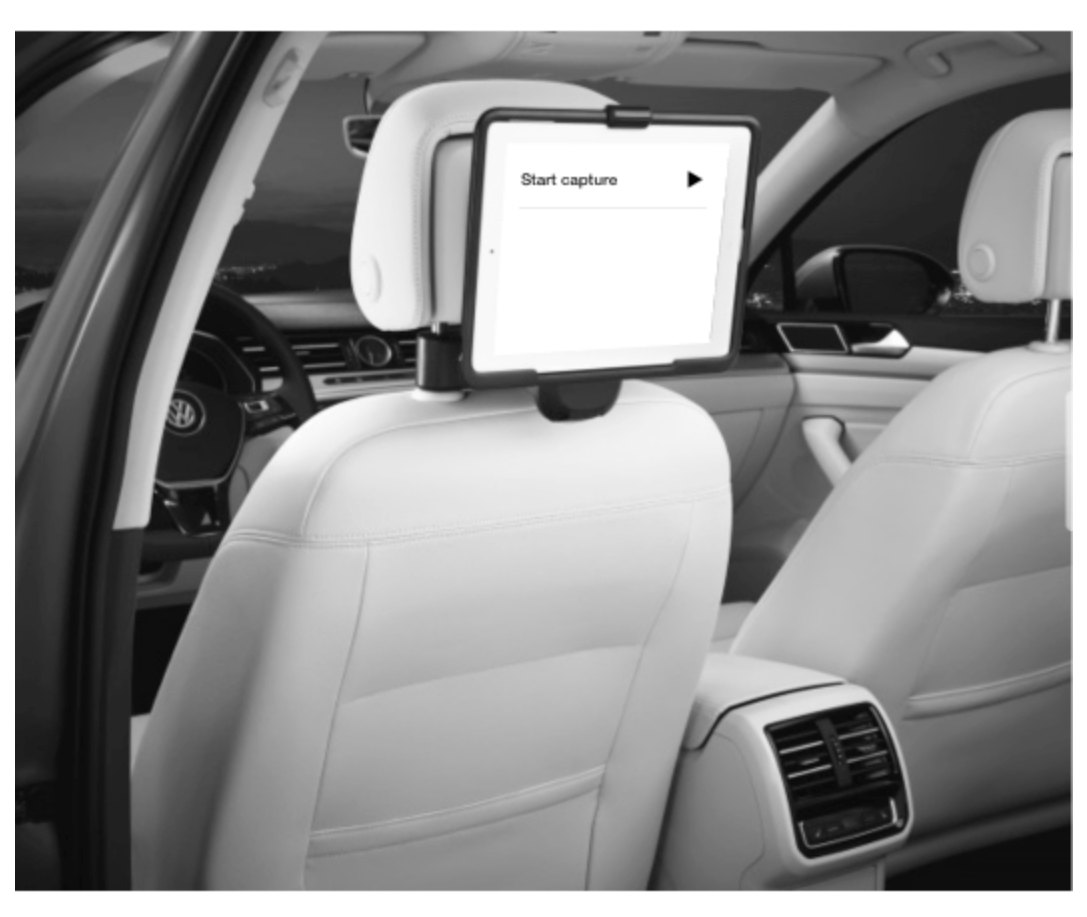
Built the GUI in Axure and simulated the VUI with pre-recorded Cortana phrases, then tested in real driving conditions with GoPro documentation.
The primary goal wasn’t immediate profit but knowledge acquisition: how do people interact with voice interfaces while driving? What productivity tasks work hands-free? What safety concerns emerge? This data informs next-generation product development.
The ultimate solution is autonomous driving — full productivity with zero driving responsibility. But that’s years away. This app serves as a bridge product, validating voice-first productivity concepts while collecting real-world usage data to inform future in-car systems.
Built on Microsoft Cognitive Services (Cortana), creating strategic partnership potential. Rather than limiting to VW customers, we designed a smartphone app compatible with all vehicles via Bluetooth — maximising data collection and market validation.
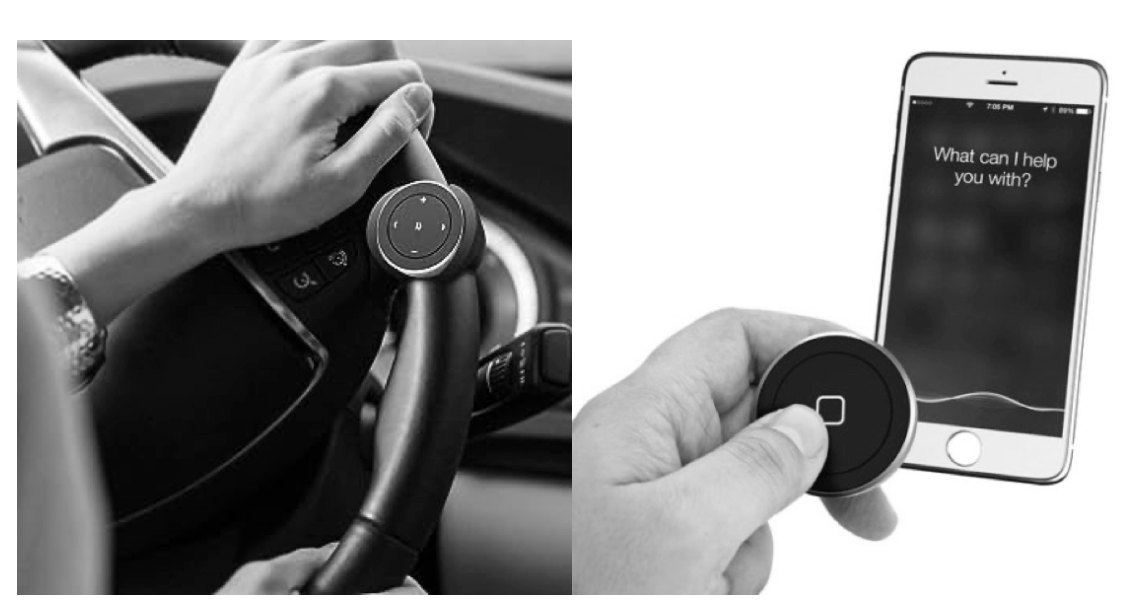
Understanding the possible contexts of use for people commuting by car was foundational to our design decisions — mapping temporal, physical and technical context against what driving enables and disables.
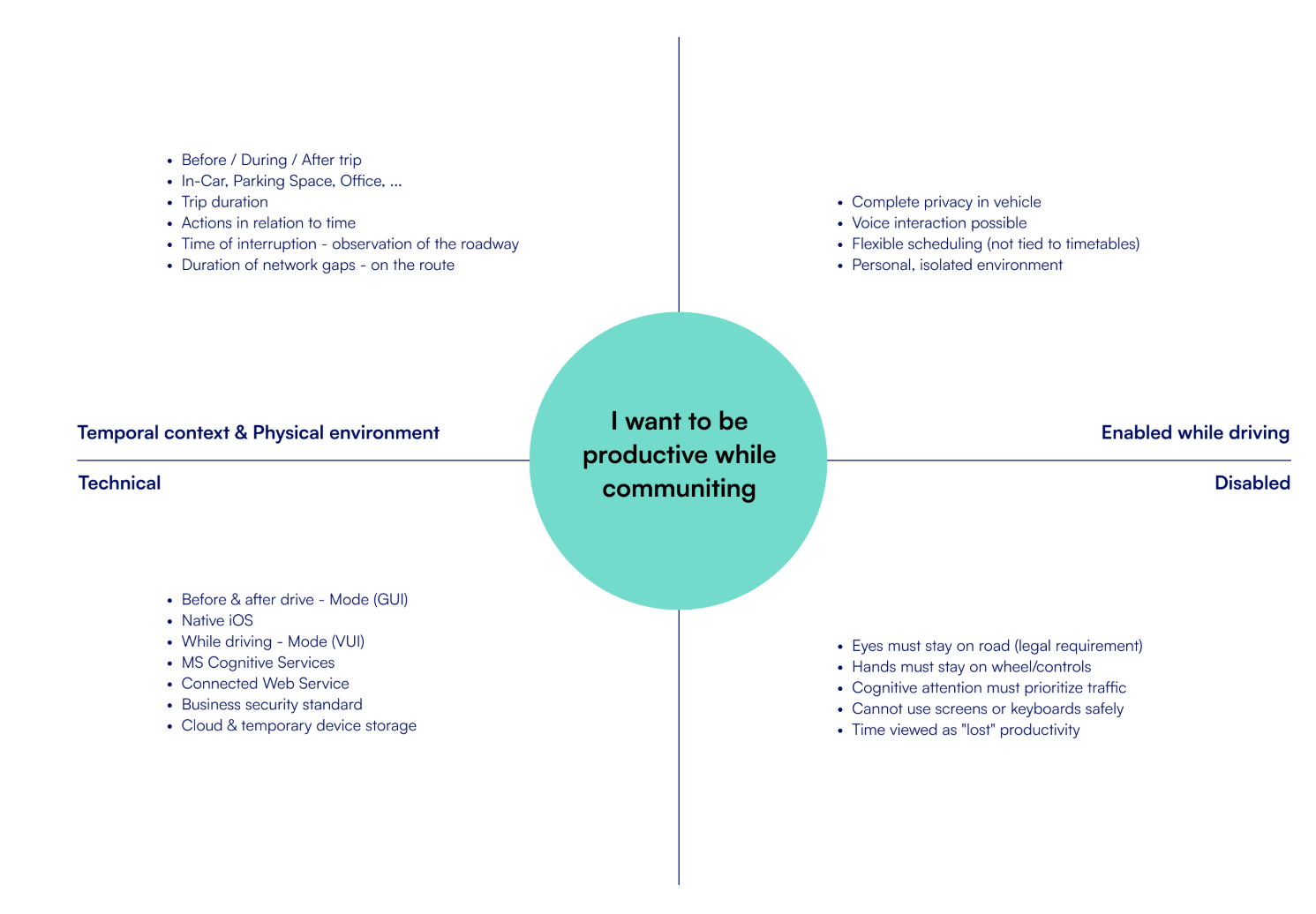
Strategic UX decision: Users have full control over the listening mode. Unlike always-listening devices (Alexa, Google Home), our app requires manual activation via a Bluetooth button. This addressed privacy concerns and gave drivers explicit control — critical for automotive trust.
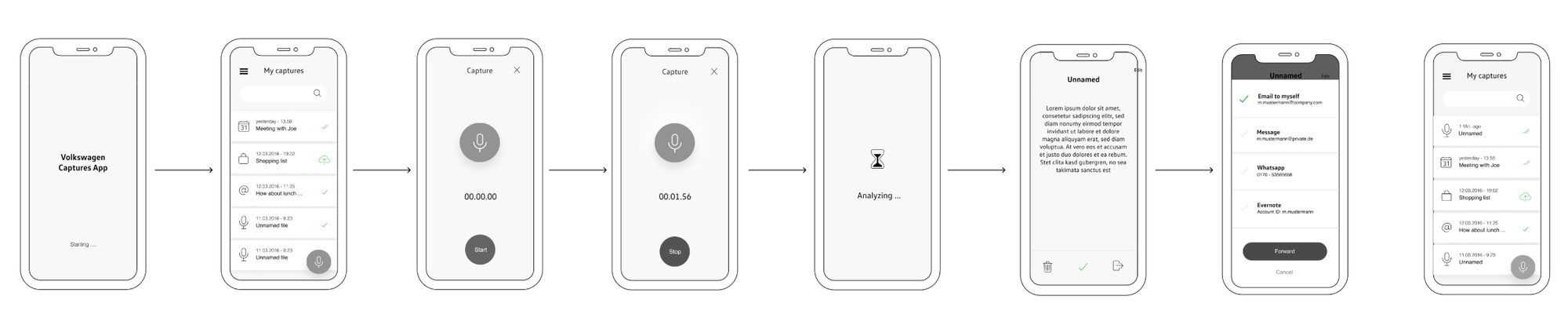
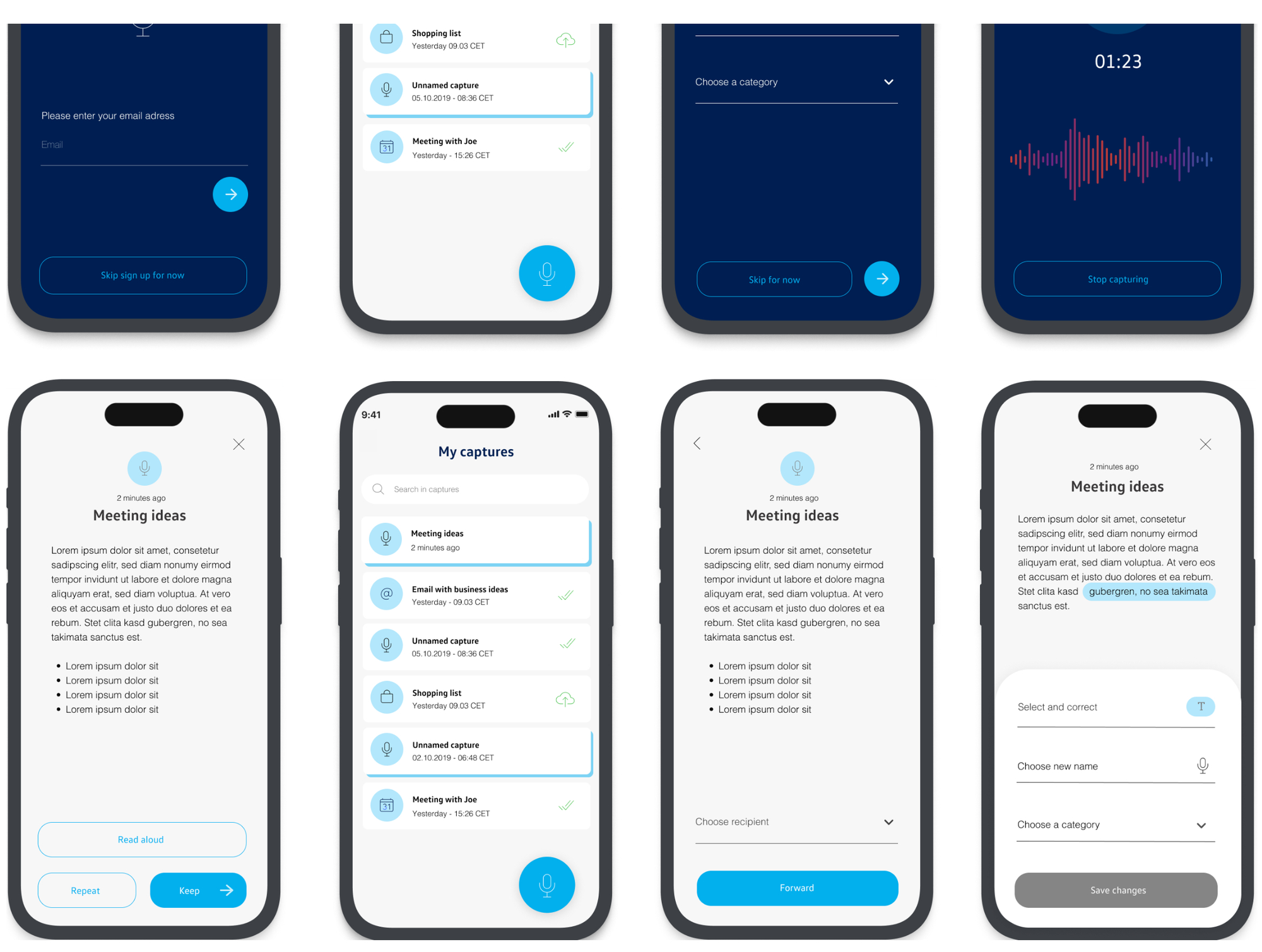
We created four user scenarios aligned with our personas, then built prototypes combining graphical interfaces (Axure) with simulated voice interaction.
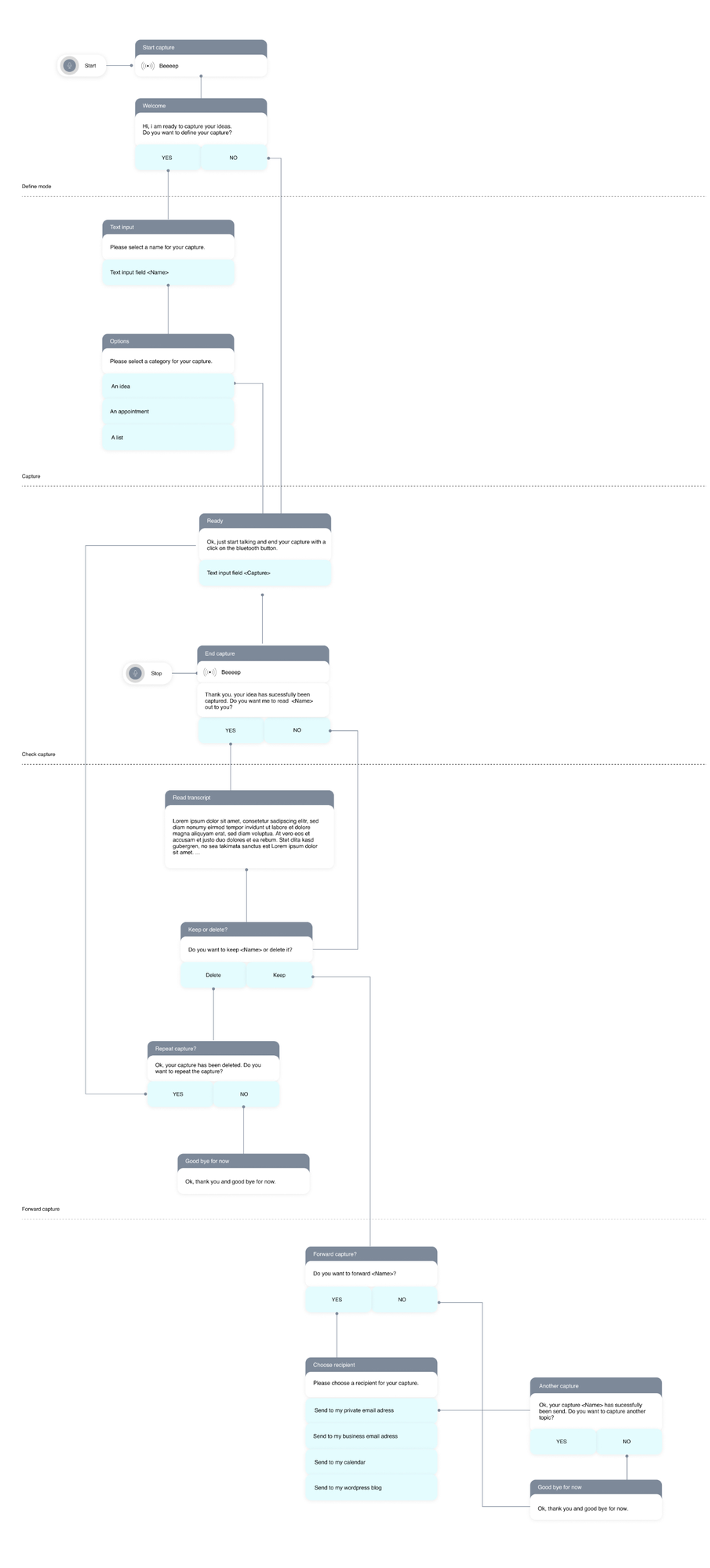
Every branch of the dialog was scripted — start capture, define name, categorise, check the capture, keep or delete, repeat, forward to a recipient.
The GUI carries the before- and after-drive moments; the voice interface carries everything in between.
Driving with the prototype surfaced three things that no desk-based test would have shown us.
Users appreciated features but disliked the jarring transition from voice (while driving) to GUI (after parking). Starting a task via voice but needing to finish it on-screen created an unsatisfying “usage break” that felt incomplete.
Implication — voice-first design must consider the entire task lifecycle, not just the capture moment. Either complete tasks fully via voice, or design intentional hand-offs that feel natural, not forced by technical limitations.
Users wanted clear separation between work and personal content, but our solution — logging into separate accounts — proved too rigid. Real life doesn’t fit neat categories: people have personal ideas during work commutes and vice versa.
Implication — a better approach would be neutral capture with no upfront categorisation, then tagging content by recipient or context later. That matches the actual mental model: “idea first, categorise later.”
Remember, this was 2016 — voice interfaces were nascent. Nearly every user entered a trial-and-error mode, testing boundaries and probing what commands the system understood. Users actively explored cognitive capabilities.
Implication — an initial voice menu providing guidance would have slowed task completion but reduced frustration and given users a better mental model of what’s possible. Discoverability is critical in voice UX.
This was one of my first design sprints, back in 2016. With no iterations planned, the main outcome was the evidence that emerged — and valuable lessons about sprint methodology and voice-first design.
Most importantly: this sprint taught me that innovation often means building bridges to the future, not final products. Sometimes the value is in the learning, the data, and the validated direction — not the shipped feature.
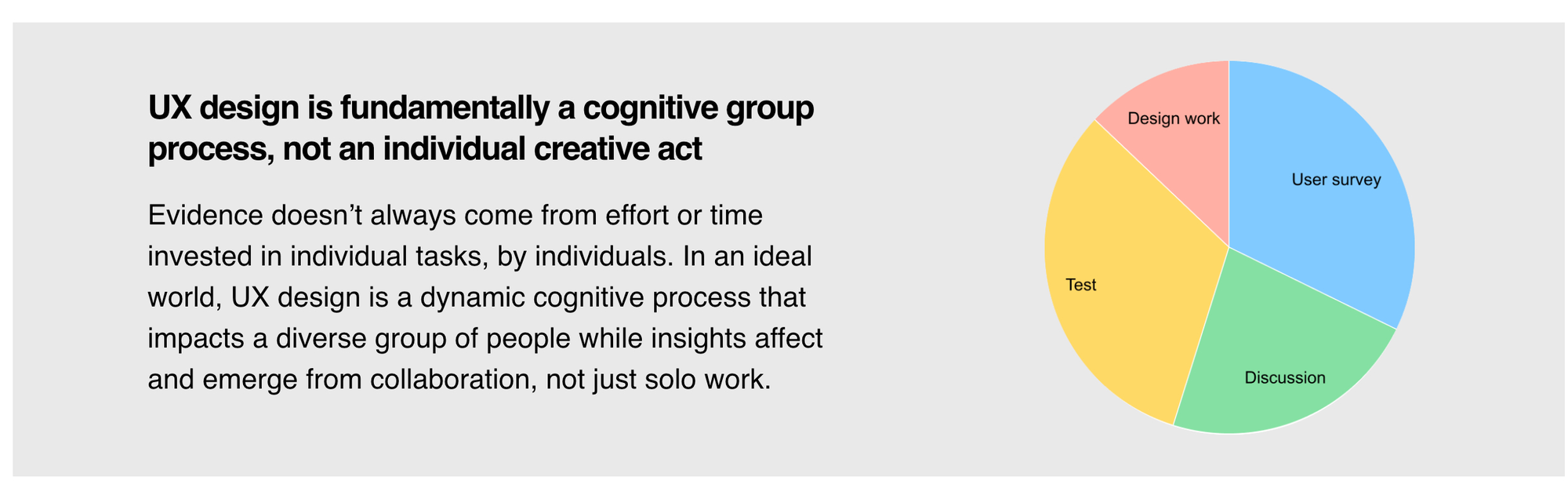
Evidence doesn’t always come from effort or time invested in individual tasks, by individuals. In an ideal world, UX design is a dynamic cognitive process that impacts a diverse group of people, while insights affect and emerge from collaboration — not just solo work.
You can’t just convert screen workflows to voice commands. Voice requires rethinking information architecture, task flows, error handling, and user mental models from scratch. The modality shift demands new design patterns.
In 2016, we were pioneers figuring this out. Today’s voice-first design principles emerged from sprints like this.The 10-day limit and lack of planned iterations meant we had one shot to get insights. This constraint forced radical prioritisation, scrappiness (pre-recorded audio!), and focus on high-value learning over polish.
Evidence doesn’t require perfection — it requires smart questions and good-enough prototypes to get answers.Aligning Volkswagen and Microsoft stakeholders, managing different organisational cultures, and balancing automotive safety concerns with tech innovation ambitions created facilitation challenges beyond pure UX design.
The partnership structure itself became part of the design constraint — decisions needed to serve both companies’ strategic interests while prioritising user needs.“I would push for at least one iteration cycle in the sprint structure. The findings from testing were so rich that immediate iteration would have validated solutions to the problems we discovered — making the sprint output actionable rather than just informative.”